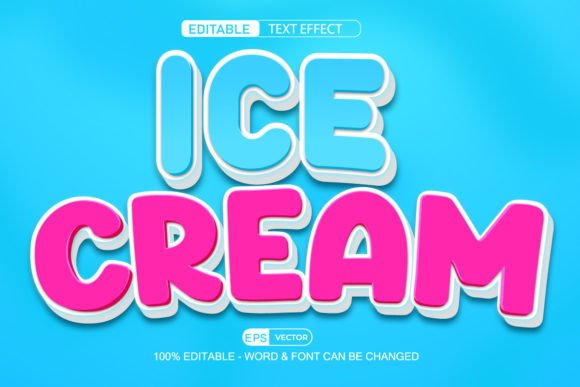
Creating a Delectable Design: The Ice Cream Text Effect in 3D Vector Style
In the ever-evolving world of graphic design, visual appeal is paramount. One trend that has captured the imagination of both designers and audiences alike is the Ice Cream Text Effect in 3D Vector Style. This creative technique transforms simple text into a vibrant, eye-catching design by giving it an ice cream-like appearance with rich textures, colors, and dimensionality. Whether you're designing for marketing, social media, or personal projects, understanding how to use this effect can significantly enhance your work’s visual impact.
What Is the Ice Cream Text Effect?
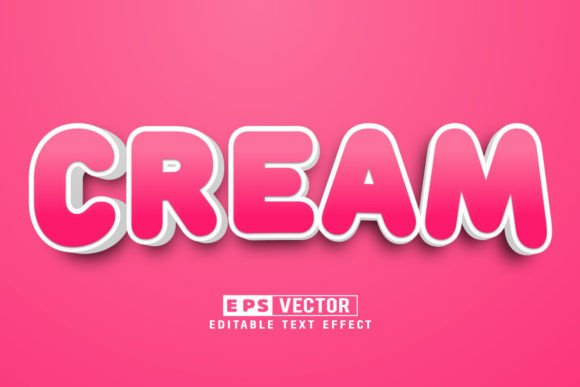
The ice cream text effect is a stylized method of applying vector-based illustrations to typography. It mimics the look of real-life ice cream scoops, cones, swirls, and toppings using digital tools like Adobe Illustrator. The result is a playful yet professional aesthetic that appeals to a wide range of audiences, especially those associated with food-related industries, summer promotions, and child-friendly themes.
This effect is typically created using layered shapes, gradients, and shading techniques. Each letter or word becomes a canvas for adding sweet, creamy details — from soft swirls to colorful sprinkles. Because it's built on vector design, the elements remain scalable without losing quality, making it ideal for everything from logos to large billboards.
Why Use a 3D Vector Style for Ice Cream Text Effects?
Designing in 3D vector style offers several advantages when creating ice cream-themed text effects:
- High Quality and Scalability: Vector graphics maintain sharpness at any size, ensuring your text looks great whether printed on a business card or projected on a screen.
- Flexibility and Customization: You can easily modify colors, fonts, sizes, and even the number of words — perfect for adapting to different branding needs or campaigns.
- Modern Aesthetic: The 3D aspect adds depth and realism, making the design more engaging and visually dynamic.
- Editable Layers: In programs like Adobe Illustrator, each component of the design (text, swirls, toppings) can be edited independently, allowing for precise adjustments.
How Does It Work?
To create an ice cream text effect in 3D vector style, designers often follow these steps:
- Select a font that complements the whimsical nature of the theme.
- Create vector shapes that resemble ice cream scoops or swirls around the text.
- Apply gradients and shadows to simulate texture and volume.
- Add decorative elements such as cherries, sprinkles, or waffle cones for extra flair.
- Group and adjust layers to achieve a cohesive and realistic 3D appearance.
With the right tools and templates, these steps can be completed quickly and efficiently. Many downloadable resources include pre-built layers and components, enabling users to customize the design without starting from scratch.
Practical Uses of the Ice Cream Text Effect
The versatility of the 3D ice cream text effect makes it suitable for various applications across different industries:
Food and Beverage Industry
Restaurants, cafes, and dessert shops can leverage this effect to promote their products. For instance, a promotional poster for an ice cream parlor might feature the store name in a delicious-looking 3D ice cream style, complete with chocolate sauce drizzles and rainbow-colored sprinkles. Such designs are not only fun but also immediately recognizable and appetizing.
Marketing and Advertising
Marketers often seek ways to stand out in a crowded space. An ice cream text effect can be used in seasonal campaigns, especially during summer or holidays like Easter and Christmas. It can appear on banners, flyers, and social media posts, helping brands connect with consumers through a sense of joy and nostalgia.
Education and Children's Content
When designing educational materials for children or creating content for kids' websites and apps, the ice cream text effect can add a sense of playfulness and excitement. It can make learning materials more engaging and memorable for young audiences.
Personal Projects and Creative Work
From birthday cards to invitations and greeting cards, the ice cream text effect brings a cheerful touch to personal design projects. Artists and hobbyists can experiment with different flavors and styles, turning ordinary text into something truly special.
Tools and Techniques for Creating the Effect
While there are many software options available, Adobe Illustrator remains one of the most popular tools for creating high-quality vector-based designs. Its robust features allow for detailed manipulation of shapes, colors, and gradients — essential for crafting a realistic 3D ice cream text effect.
Adobe Illustrator Features That Help
Here are some key features in Adobe Illustrator that facilitate the creation of an ice cream text effect:
- Live Corners: Helps round edges smoothly, which is crucial for creating soft, scoop-like forms.
- Gradient Tools: Used to simulate the melting and creamy texture of ice cream.
- Blending Modes: Can add depth and realism by layering shadows and highlights.
- Layer Management: Enables easy editing of individual components like text, background, and decorations.
Using Editable Templates
If you’re new to Adobe Illustrator or looking to save time, editable templates are an excellent resource. These templates usually come with all the necessary layers and components already prepared, so you can focus on customizing rather than building from the ground up. With just a few clicks, you can change the text, font, color scheme, and even the type of ice cream flavor being depicted.
Many online marketplaces offer “Just Click and Edit” versions of these templates. They are designed for simplicity and ease of use, ensuring that even beginners can produce stunning results without advanced skills. Additionally, these templates are often fully customizable, with over 100 editable elements included — from the main text to the smallest detail like a cherry on top.
Common Misconceptions About the Ice Cream Text Effect
Despite its popularity, there are some common misunderstandings about the ice cream text effect that need clarification:
It’s Only for Kids
While the ice cream theme does have a youthful charm, this effect is not limited to children’s content. When executed with sophistication, it can fit well in adult-oriented designs, especially within the food industry or lifestyle branding. Think of a boutique coffee shop using an elegant 3D ice cream text logo to represent a seasonal milkshake promotion.
Difficult to Create Without Professional Skills
Thanks to modern design tools and pre-made templates, creating an ice cream text effect no longer requires expert-level skills. Many templates are user-friendly and provide step-by-step instructions or intuitive controls. By using vector-based assets, you ensure that your design is clean, crisp, and adaptable for multiple uses.
How to Get Started with Your Own Ice Cream Text Design
Whether you're a seasoned designer or a beginner, here’s how you can start incorporating the 3D vector ice cream text effect into your projects:
- Choose the Right Software: Adobe Illustrator is the gold standard for vector design. If you don’t have it, consider free alternatives like Inkscape or paid options such as CorelDRAW.
- Find a Template: Search for “Ice Cream Text Effect Vector 3D Style - 100 Editable” templates on platforms like Envato Elements, Creative Market, or Adobe Stock. These templates will streamline the process and help you learn the fundamentals.
- Edit and Customize: Once you’ve downloaded a template, open it in your design software and begin experimenting. Change the text, select a different font, adjust colors, and explore additional design elements to personalize your work.
- Export for Use: After finalizing your design, export it in formats like SVG, PNG, or PDF to use in print or digital media. Always ensure that all layers are flattened if needed for compatibility with other platforms.
Benefits of Using Vector-Based Designs
Vector-based designs, including the ice cream text effect, offer numerous benefits that make them ideal for professional and personal use:
- Scalability: Unlike raster images, vectors do not lose quality when resized, making them perfect for logos and branding materials.
- Small File Size: Vector files are generally smaller and easier to manage compared to high-resolution image files.
- Print and Digital Compatibility: These designs work seamlessly across both print and web-based platforms, ensuring consistency in branding efforts.
- Easy to Modify: As long as the file is in an editable format like .ai or .eps, changes can be made effortlessly — even after initial creation.
Real-World Examples of Ice Cream Text Effect Usage
Let’s look at a few examples to better understand where and how the 3D vector ice cream text effect can be applied effectively:
- Brand Logos: An ice cream company might use this effect to design a logo that looks like a stack of delicious scoops, instantly conveying what they sell.
- Social Media Banners: A café could create a summer-themed banner with a slogan like “Cool Treats All Summer Long” styled as an ice cream cone to attract attention on Instagram or Facebook.
- Merchandise Design: T-shirts, mugs, and tote bags often benefit from whimsical text effects. Imagine a cup with the phrase “Life’s Better with Ice Cream” rendered in a 3D vector style!
- Event Invitations: A themed birthday party or festival event could use this effect to make the invitation stand out and align with the overall vibe of the occasion.
Enhancing Creativity with the Ice Cream Text Effect
One of the most exciting aspects of the ice cream text effect is its ability to spark creativity. Since the design is modular and highly customizable, you can mix and match different ice cream types, colors, and decorations to create unique variations. For example, you might design a strawberry-scoop text for a Valentine’s Day campaign or a mint chocolate chip version for a New Year’s celebration.
Moreover, combining the ice cream text effect with other design elements — like background illustrations of desserts, cartoon characters, or summer scenes — can elevate your project’s overall appeal. The possibilities are endless, and the key is to let your imagination guide the way while keeping the design relevant to your purpose.
Conclusion
The Ice Cream Text Effect in 3D Vector Style is more than just a fun design element; it’s a powerful tool for communication and branding. With its scalability, editability, and visual charm, it allows designers to craft appealing messages that resonate with diverse audiences. Whether you're working on a commercial project or a personal design, this effect can bring a fresh, delightful twist to your work.
By choosing an editable template and using Adobe Illustrator or similar software, you can harness the full potential of this effect without needing extensive design experience. So next time you're brainstorming for a creative project, consider how an ice cream text effect might just be the sweet touch your design needs.