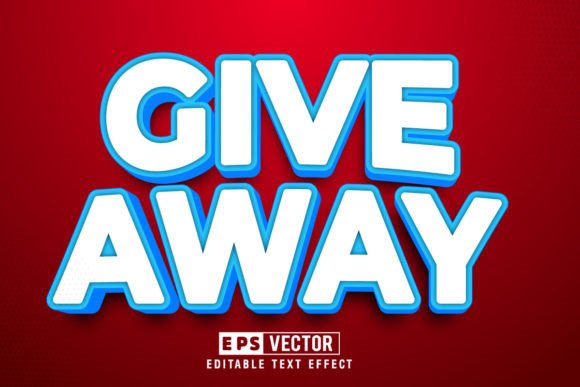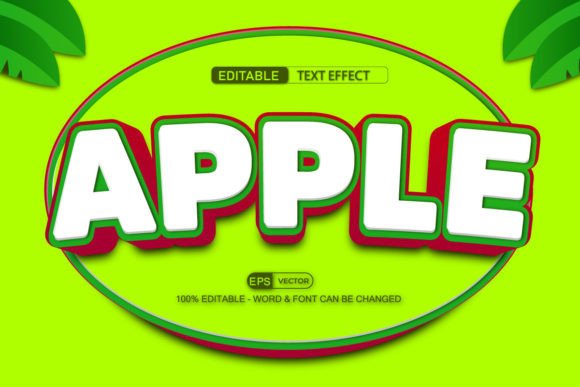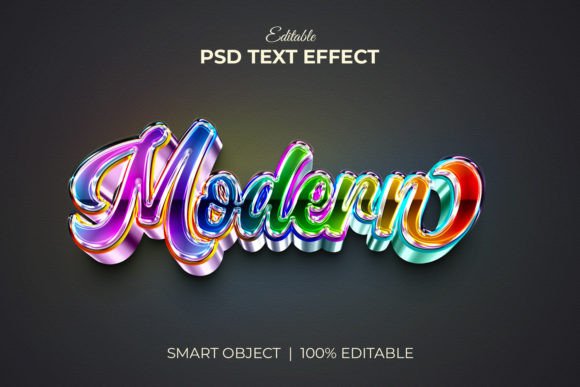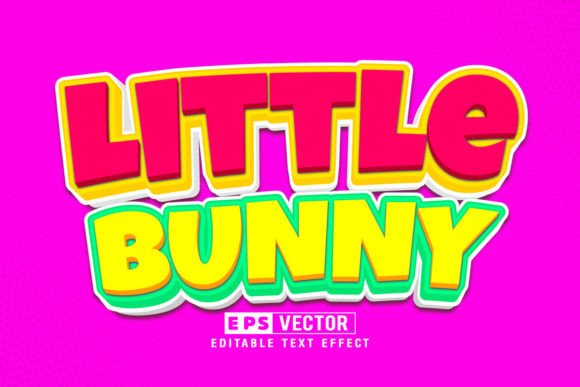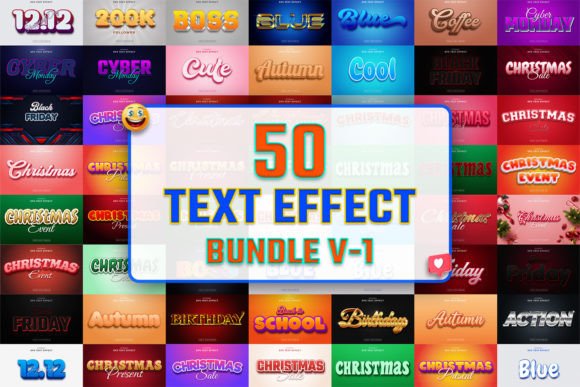
50 3D Text Effect Bundle V-1: A Comprehensive Tool for Creative Designers
The 50 3D Text Effect Bundle V-1 is a collection of professionally designed text effects tailored for Adobe Illustrator users. This bundle includes both the original version and an updated set known as the “Modern” edition, offering designers a wide range of options to enhance their projects with visually striking typography. Ideal for use in web design, social media promotions, and print publications such as flyers, posters, and magazines, this resource aims to streamline the process of creating high-quality 3D text without requiring advanced technical skills.
Why Consider the 50 3D Text Effect Bundle V-1?
Designers often seek tools that save time while maintaining creative flexibility. The 50 3D Text Effect Bundle V-1 provides exactly that by combining pre-built 3D text styles with full editability. This makes it especially appealing to those working on tight deadlines or looking to experiment with different visual styles quickly. The templates are built with scalability in mind, allowing users to zoom in or out without compromising quality—ensuring crisp outputs at any size.
Additionally, the bundle is optimized for digital platforms due to its RGB color mode and 72-resolution design. These specifications make it suitable for use in online graphics, ensuring vibrant colors appear consistently across screens. The inclusion of both AI and EPS files also offers versatility in how they can be integrated into various design workflows.
Key Benefits of Using the Bundle
- Easy Customization: Each file is organized and editable, making it simple to adjust colors, fonts, and other properties to match your project’s needs.
- Time Efficiency: With 50 ready-to-use text effects, you can avoid spending hours setting up 3D text manually using Illustrator’s 3D tools.
- High-Quality Output: Maintains clarity and sharpness at all scales, which is crucial for professional-grade designs.
- Font Flexibility: While the bundle comes with 100 free fonts (personal or commercial use depending), users are also free to substitute them with any preferred font, enabling greater personalization.
- Comprehensive Documentation: Includes a help file and information guide to assist even novice users in navigating the features effectively.
Considerations Before Purchasing
While the 50 3D Text Effect Bundle V-1 offers many advantages, there are a few factors to consider before deciding if it fits your workflow:
- Software Compatibility: This bundle requires Adobe Illustrator CS6 or higher. If you're using an older version or another design platform like Photoshop or After Effects, it may not be the best fit.
- Font Licensing: Some included fonts are only free for personal use. It's essential to review the licensing details provided in the help file to ensure compliance when using these fonts for commercial projects.
- Learning Curve: Although the bundle is user-friendly, understanding how to manipulate 3D elements in Illustrator can still require some basic knowledge of the software’s tools and features.
- Project-Specific Needs: If your work involves highly unique or custom 3D text effects, you might find the bundled templates too generic or limiting over time.
When This Bundle Is a Strong Fit
This bundle is particularly well-suited for the following scenarios:
- Social Media Graphics: Create eye-catching headlines for Instagram posts, Twitter banners, Facebook ads, or LinkedIn headers. The modern aesthetic of the effects aligns well with current design trends on these platforms.
- Publication Designs: Use it for magazine covers, event posters, or promotional flyers where bold, dimensional text can draw attention and elevate the overall design.
- Web Design Elements: Incorporate 3D text into landing pages, infographics, or website headers to add depth and visual interest without sacrificing performance.
- Freelancers and Beginners: Those who need quick, reliable assets to deliver client work or build confidence in using 3D effects within Illustrator will find this bundle extremely useful.
Alternatives Worth Considering
If the 50 3D Text Effect Bundle V-1 doesn’t fully meet your requirements, there are several alternatives that could be more appropriate:
- Custom 3D Modeling Tools: For designers needing complete control over every aspect of their 3D text, tools like Blender or Cinema 4D offer more advanced capabilities but come with a steeper learning curve.
- Illustrator’s Built-In 3D Tools: Adobe Illustrator already includes 3D extrusion and beveling features. While less convenient than using pre-made effects, these native tools allow for more precise customization.
- Other Text Effect Bundles: There are numerous similar bundles available that might better suit specific niches, such as vintage styles, minimalist aesthetics, or animated text effects.
- Subscription-Based Libraries: Platforms like Creative Market or GraphicRiver provide ongoing access to thousands of text effects and vector assets, which may be preferable for users who want continuous updates and variety.
What to Expect from the 50 3D Text Effect Bundle V-1
Purchasers should expect a well-organized package with 50 AI files, 50 EPS files, and 50 JPG previews. The dimensions are standardized at 2000×1200 pixels, making it easy to scale for most common applications. However, it’s important to note that the effectiveness of each effect depends largely on how it’s applied within the context of a larger design. Some effects may stand out more in certain layouts or themes than others.
The ability to change text by simply pressing the T key is a major advantage for quick prototyping and iteration. That said, the results can vary based on the font used and the complexity of the effect. Users should test a few variations early in their design process to ensure compatibility and visual appeal.
Decision-Making Insights for Designers
To determine whether the 50 3D Text Effect Bundle V-1 is right for you, consider the following:
- Do you frequently need to create 3D text for multiple projects or clients? If so, the bundle could significantly reduce your workload.
- Are you looking for a cost-effective solution to produce high-quality 3D text effects without investing in advanced 3D software? Then this bundle might be ideal.
- Will you be using these effects primarily for digital media or print? The RGB color mode and resolution make it suitable for screen-based projects, while print might require additional adjustments.
- How much time do you have to learn new tools? If you prefer plug-and-play solutions, this bundle is a good choice; if you're open to deeper learning, native Illustrator tools or third-party apps may offer more value long-term.
Ultimately, the decision to invest in this bundle should align with your current workflow and future design goals. It serves as a valuable shortcut for those who want to maintain creative freedom while minimizing repetitive tasks.
Final Thoughts
The 50 3D Text Effect Bundle V-1 is a practical addition to any designer’s toolkit, especially when speed and consistency are priorities. Its blend of ease-of-use and customization options makes it a solid choice for both beginners and professionals. However, it’s not a one-size-fits-all solution. By carefully evaluating your project needs and long-term objectives, you can decide whether this bundle will enhance your productivity or if a different approach would serve you better.